STLViewer
A free, open-source STL file viewer built with Qt6 and OpenGL 3.3
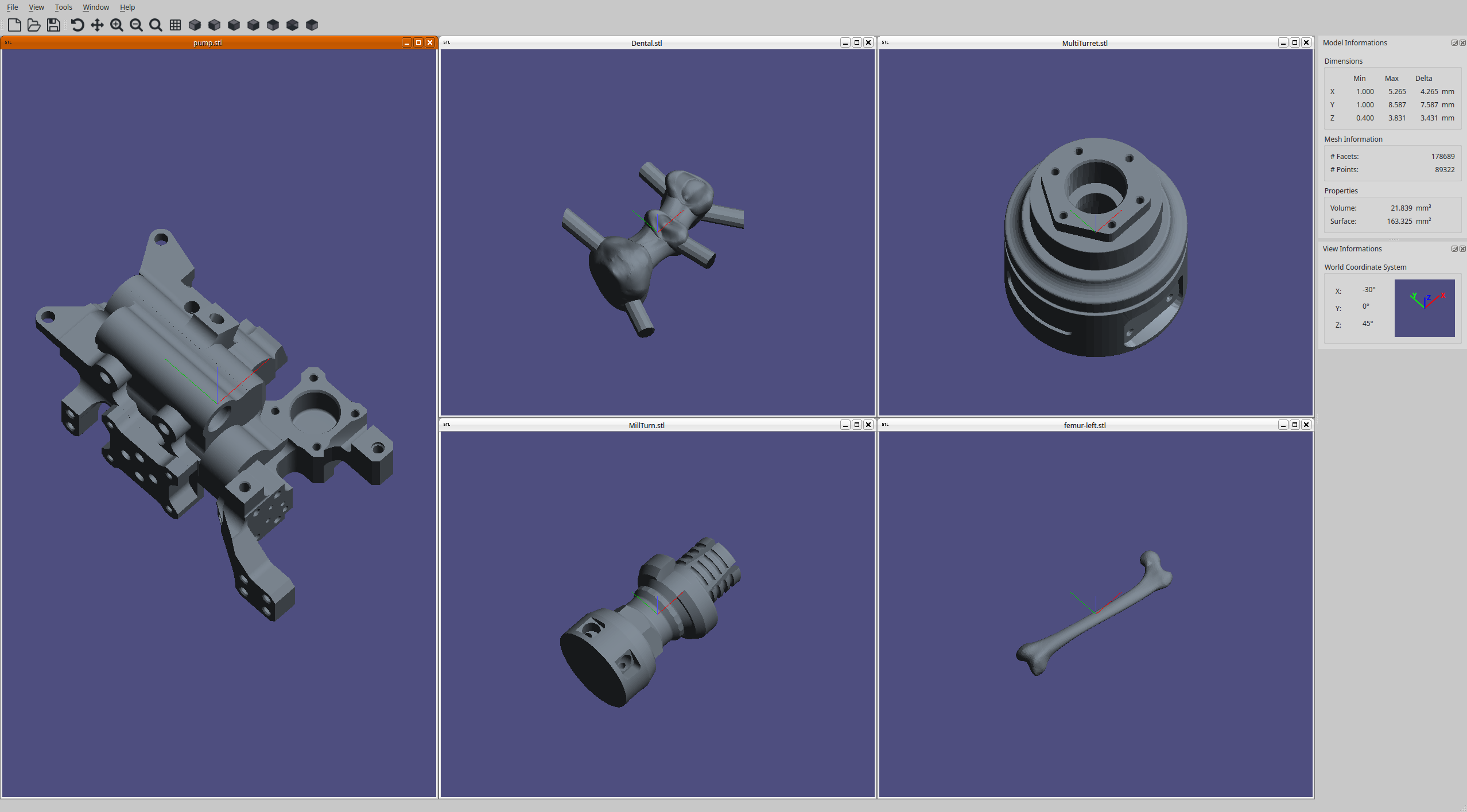
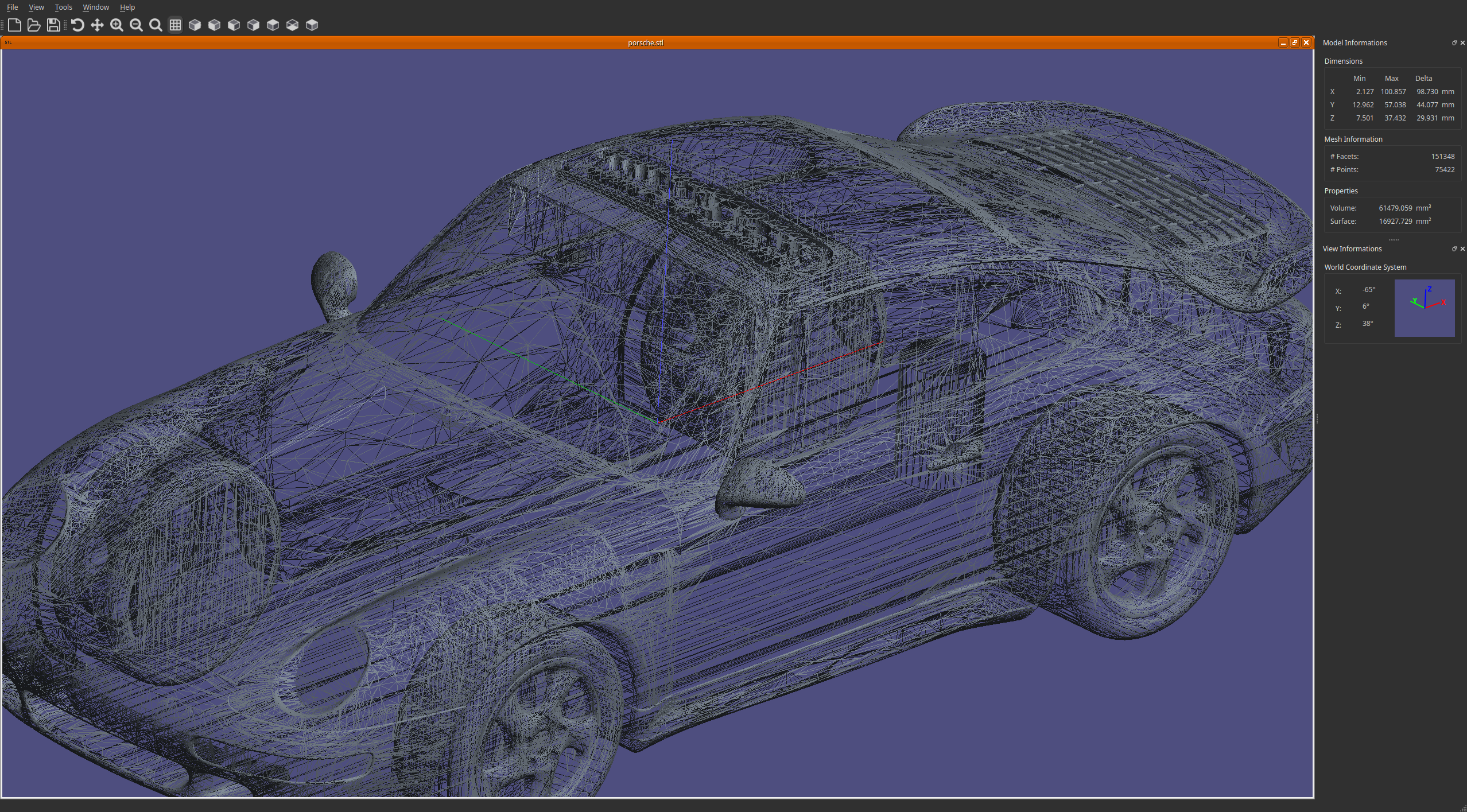
Screenshot
Installation
Download a pre-built package
Pre-built packages for Linux and Windows are available on the Releases page.
# Ubuntu / Debian
sudo dpkg -i stlviewer-*.deb
Windows users: run the stlviewer-*-win64.exe installer.
Build from source
Dependencies
| Dependency | Minimum version |
|---|---|
| CMake | 3.16 |
| Qt | 6.0 |
| OpenGL | 3.3 core |
# Ubuntu / Debian
sudo apt install cmake libgl-dev qt6-base-dev qt6-base-dev-tools

# Fedora / RHEL
sudo dnf install cmake mesa-libGL-devel qt6-qtbase-devel qt6-qtopengl-devel

# macOS (Homebrew)
brew install cmake qt6
Compile
git clone https://github.com/cravesoft/stlviewer.git
cd stlviewer
cmake -B build -DCMAKE_BUILD_TYPE=Release
cmake --build build --parallel
Package
cd build

# .deb (Ubuntu/Debian)
cpack -G DEB

# .exe installer (Windows)
cpack -G NSIS
Usage
# Open files from the command line
stlviewer model.stl other.stl

# Or launch and use File → Open
stlviewer
Mouse controls
| Action | Input |
|---|---|
| Rotate | Right-click drag, or enable Rotate mode then left-click drag |
| Pan | Middle-click drag, or enable Pan mode then left-click drag |
| Zoom | Scroll wheel, or + / - keys |
Keyboard shortcuts
| Key | Action |
|---|---|
Ctrl+O |
Open file |
Ctrl+S |
Save |
Ctrl+I |
Save image |
Ctrl+Q |
Quit |
R |
Toggle rotate mode |
P |
Toggle pan mode |
W |
Toggle wireframe |
+ / - |
Zoom in / out |
1 |
Reset zoom |
Contributing
Bug reports and pull requests are welcome on the GitHub repository.